
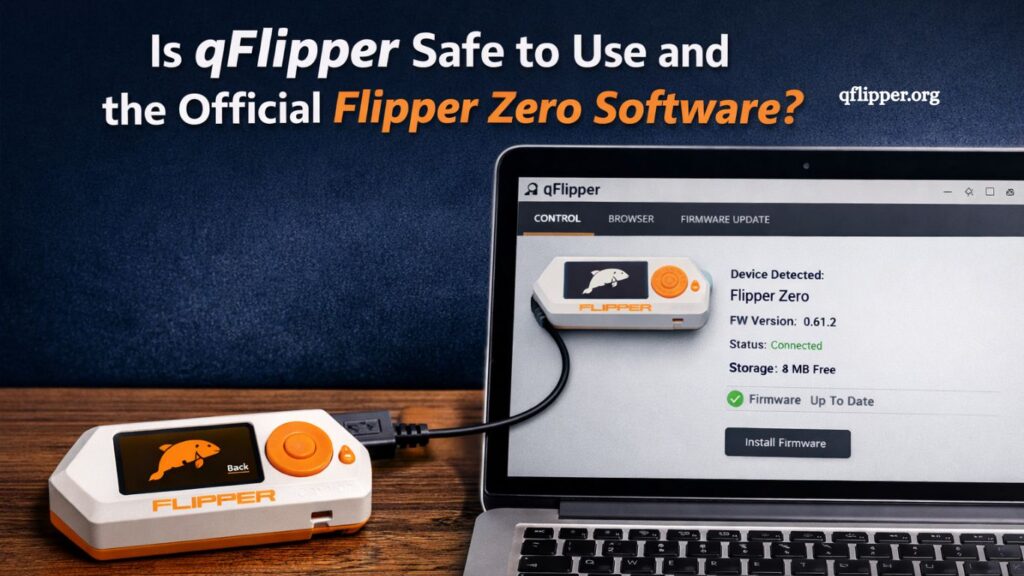
qFlipper is widely known among Flipper Zero users as the primary desktop companion application used for device management, firmware updates, and file transfers. As interest in Flipper Zero continues to grow, many users question whether qFlipper is safe, legitimate, and officially supported. Understanding its origin, functionality, and security profile helps users make informed decisions before installing it on their systems.
What is qFlipper?
qFlipper is a desktop application designed specifically for managing the Flipper Zero device. It allows users to connect their device to a computer and perform essential tasks such as:
- Updating Flipper Zero firmware
- Managing files and data stored on the device
- Installing updates and system improvements
- Accessing recovery tools in case of system issues
- Viewing device status and system information
The application is available for major operating systems, including Windows, macOS, and Linux, making it accessible for a wide range of users.
At its core, qFlipper acts as a bridge between the Flipper Zero hardware and a user’s computer, ensuring smooth communication and device maintenance.
Read More: How to Download and Install qFlipper on Windows, macOS, and Linux.x
Is qFlipper the Official Flipper Zero Software?
qFlipper is the official desktop application developed and maintained by the Flipper Devices team, the same company behind Flipper Zero hardware. It is not a third-party tool, modified utility, or community fork.
This official status means:
- The original Flipper Zero creators developed it
- It is regularly updated with official firmware support
- It follows the company’s security and development standards
- It is distributed through trusted and verified sources
Users can safely consider qFlipper as the official software companion for Flipper Zero devices. Any version downloaded from unofficial websites or unknown sources should be avoided to reduce security risks.
Is qFlipper Safe to Use?
qFlipper is generally considered safe when downloaded from official sources. The application is designed for device management and does not perform hidden background activities unrelated to Flipper Zero functionality.
Key Safety Factors
- Open Development Ecosystem
Flipper Zero and its ecosystem, including qFlipper, operate in a transparent development environment. Updates and changes are documented and released publicly. - Verified Distribution Channels
The software is available through the official Flipper Zero website and trusted repositories, reducing the risk of tampered versions. - No Malicious Functionality
qFlipper does not contain spyware, adware, or data-harvesting components. Its sole purpose is device management. - Secure Communication
When connected to a Flipper Zero device, communication is limited to firmware operations, file transfers, and system updates.
Potential Risks and Misunderstandings
While qFlipper itself is safe, risks can arise from improper usage or unofficial downloads.
Fake or Modified Versions
Downloading qFlipper from unofficial sources can expose users to modified software that may contain malware or unwanted scripts. Always verify the source before installation.
Unauthorized Firmware Installation
qFlipper allows firmware updates, including custom firmware in some cases. Installing unverified firmware can introduce security vulnerabilities or unstable behavior in the device.
USB Connection Security
Like any USB-connected software, qFlipper requires physical access to the device. Users should avoid connecting unknown or compromised devices to their computers.
System Permissions
The application requires standard permissions for USB access. These permissions are normal and necessary for device communication, not indicators of unsafe behavior.
Why qFlipper Is Trusted by the Community
The Flipper Zero community relies heavily on qFlipper due to its stability and official support. Its reputation is built on several factors:
- Consistent updates aligned with Flipper Zero firmware releases
- Strong documentation and user support
- Active development by the original creators
- Compatibility with all supported operating systems
- Reliable performance for firmware flashing and recovery
These elements contribute to its credibility as a trusted utility in the Flipper ecosystem.
How to Download qFlipper Safely
To ensure safety, users should always download qFlipper from official sources.
- Recommended Steps:
- Visit the official Flipper Zero website
- Download the version matching your operating system
- Avoid third-party download portals
- Verify file authenticity when possible
- Keep the software updated regularly
Following these steps reduces the risk of installing compromised software.
qFlipper vs Third-Party Tools
Some community tools and unofficial applications exist for Flipper Zero, but qFlipper remains the standard choice.
- Advantages of qFlipper:
- Official support and updates
- Higher stability and reliability
- Secure firmware flashing process
- Direct compatibility with Flipper Zero hardware
- Limitations of Third-Party Tools:
- May not supportthe latest firmware versions
- Higher risk of bugs or instability
- Potential security concerns
- No official support from Flipper Devices
For most users, qFlipper provides the safest and most reliable experience.
Does qFlipper Collect User Data?
One of the most common concerns involves data privacy. qFlipper does not function as a data-collection tool. It does not track user behavior, store personal files without permission, or transmit sensitive information externally.
Its data interaction is limited to:
- Firmware update files
- Device configuration data
- User-initiated file transfers
No background telemetry or hidden data collection processes are part of its core functionality.
System Requirements and Compatibility
qFlipper is designed to work across major platforms, ensuring wide accessibility.
- Supported Systems:
- Windows (modern versions)
- macOS
- Linux distributions
The application is lightweight and does not require high-end hardware, making it suitable for most users.
Best Practices for Safe Usage
To maintain security and optimal performance, users should follow these practices:
- Always use official firmware updates
- Keep qFlipper updated to the latest version
- Avoid connecting unknown USB devices
- Download software only from verified sources
- Review firmware changes before installation
These habits help ensure a secure and stable experience.
Frequently Asked Questions
Is qFlipper the official Flipper Zero software?
Yes, qFlipper is the official desktop application developed by Flipper Devices for managing Flipper Zero hardware.
Is qFlipper safe to install and use?
qFlipper is safe when downloaded from official sources and used for its intended device management functions.
What is qFlipper used for?
It is used for firmware updates, file transfers, device recovery, and managing Flipper Zero settings.
Can qFlipper contain viruses or malware?
The official version does not contain malware. Risk only exists if downloaded from unofficial or modified sources.
Does qFlipper collect personal data?
No, qFlipper does not collect or transmit personal user data beyond device-related operations.
Where can I download qFlipper safely?
It should only be downloaded from the official Flipper Zero website or trusted official repositories.
Do I need qFlipper to use Flipper Zero?
While not mandatory for basic use, qFlipper is highly recommended for updates and full device management.
Conclusion
qFlipper stands as the official desktop companion for Flipper Zero, built and maintained by Flipper Devices. It provides a secure and reliable way to manage firmware updates, transfer files, and maintain device performance across major operating systems. Its legitimacy as official software makes it a trusted choice for users who want stable and safe device management. When downloaded from sources and securely, qFlipper offers a secure environment with secure data collection and no unnecessary system risks.