

QFlipper Official Desktop App for Flipper Zero
Manage your Flipper Zero with QFlipper through easy firmware updates, file transfers, backups, and a simple interface across Windows, macOS, and Linux.
- 4.9 / 5 rating
- 250k+ users
- Award-winning
250K+
Active Users
12+
Wireless Protocols
4.9★
Community Rated
100%
Open Ecosystem
- ABOUT
What is QFlipper ?
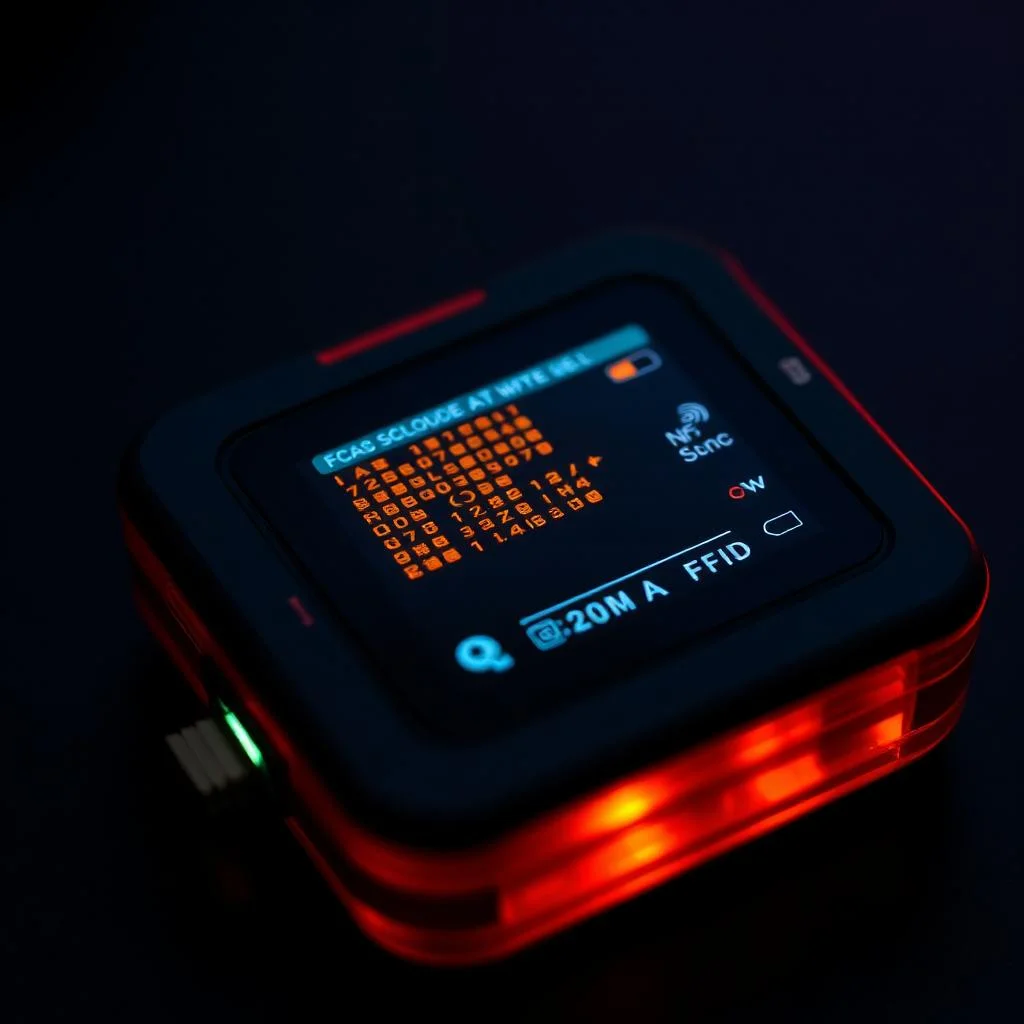
QFlipper is the official desktop application that provides a seamless connection between your computer and the Flipper Zero. It serves as a centralized control interface that simplifies how users manage, update, and interact with their devices. Built with a clean, intuitive design, QFlipper ensures that both beginners and advanced users can efficiently perform essential operations without technical complexity.
Through QFlipper, users can perform critical tasks such as installing firmware updates, transferring files, organizing data on the device’s storage, and creating secure backups. The application also includes diagnostic and logging capabilities, allowing users to monitor performance and troubleshoot issues when needed. This makes it not just a utility tool, but a complete management environment for maintaining optimal device functionality.
- CORE FEATURES
Powerful Features That Make QFlipper Stand Out
Explore the most powerful features of QFlipper that simplify device management, enhance performance, and deliver a seamless user experience across all platforms.
One-Click Firmware Updates
QFlipper allows users to update firmware instantly with a single click. It automatically detects the latest version and installs it without complex steps, ensuring your device always runs smoothly with the newest features and security enhancements.
Advanced File Manager
Managing files becomes effortless with its intuitive drag-and-drop interface. Users can quickly transfer, organize, and access data between their system and device, making workflows faster and more efficient.
Secure Backup & Restore
QFlipper provides a reliable backup system that protects important data. Users can create full device backups and restore them anytime, ensuring data safety during experiments or updates.
Cross-Platform Compatibility
The application works seamlessly on Windows, macOS, and Linux. This flexibility allows users to manage their device regardless of their preferred operating system.
Real-Time Debugging Tools
Advanced users benefit from built-in debugging tools and logs. These features help identify issues, monitor performance, and optimize device behavior with precision.
Seamless Device Connectivity
QFlipper ensures stable and fast communication between your computer and device via USB. It automatically detects the connected device, reducing setup time and improving usability.
- WORKFLOW
How QFlipper Works
QFlipper is designed to provide a seamless bridge between your computer and your Flipper Zero. It simplifies complex device management tasks into a few intuitive steps, allowing users to update, transfer, and control their device efficiently.
Connect Your Device
To begin, connect your Flipper Zero to your computer using a USB cable. QFlipper instantly recognizes the device once it is plugged in, eliminating the need for manual configuration or additional drivers in most cases.
Automatic Device Detection
After launching QFlipper, the application automatically detects your connected device and displays its current status. This includes firmware version, storage details, and connection health, giving you a quick overview of your device.
Choose Your Action
QFlipper provides a clean interface where you can select different actions based on your needs. Whether you want to update firmware, transfer files, or create backups, all options are clearly organized and easily accessible.
Perform Firmware Updates
With just one click, QFlipper downloads and installs the latest firmware for your device. The process is automated, ensuring that your Flipper Zero stays updated with new features, performance improvements, and security enhancements.
Manage Files and Data
QFlipper allows you to transfer files between your computer and device effortlessly. You can organize data, upload new files, or remove unnecessary ones using a simple drag-and-drop system.
Backup and Restore Data
Users can create secure backups of their device data and restore them whenever needed. This ensures that important configurations and files are never lost during updates or experimentation.
Monitor and Debug
For advanced users, QFlipper offers access to logs and debugging tools. These features help identify issues, monitor device behavior, and improve overall performance.
Safe Disconnection
Once your tasks are complete, you can safely disconnect your device. QFlipper ensures that all processes are properly finalized, reducing the risk of data corruption.
- TECHNICAL SPECS
Built for Performance
Designed for speed and efficiency, QFlipper delivers smooth performance, fast file transfers, and reliable firmware updates without slowing down your system.
Processor
ARM Cortex-M4
Display
1.4" Mono LCD
Battery
2000 mAh Li-Po
Connectivity
USB-C / BLE 5.0
Frequencies
300–928 MHz
Storage
microSD up to 256GB
GPIO
18 programmable pins
Weight
Just 102 grams
- USE CASES
Endless Possibilities
Explore how QFlipper simplifies device management, enhances productivity, and supports multiple real-world tasks for both beginners and advanced users.
Firmware Management
Easily install, upgrade, or downgrade firmware versions to keep your Flipper Zero device secure, stable, and equipped with the latest features.
File Transfer & Organization
Quickly move files between your computer and device while organizing data efficiently using a clean and intuitive interface.
Backup & Restore
Create full backups of your device and restore them anytime to prevent data loss during experiments or updates.
Security Research & Testing
Support cybersecurity learning by managing test files, logs, and configurations in a controlled and structured environment.
Device Customization
Modify device configurations, add custom files, and personalize your Flipper Zero experience according to your needs.
Debugging & Diagnostics
Access logs and debugging tools to identify issues, monitor performance, and troubleshoot device-related problems effectively.
- HONEST REVIEW
Pros & Cons of Qflipper
A balanced look so you can make the right call.
Pros
- Compact, pocket-friendly and rugged build quality.
- All-in-one toolkit — radio, NFC, IR, GPIO, BLE.
- Open firmware with a thriving developer community.
- Beginner-friendly UI with deep customization.
- Excellent battery life for full-day field work.
- Regular software updates and new app catalog drops.
Cons
- Learning curve for absolute beginners to wireless protocols.
- Some advanced features require external accessories.
- Limited internal storage — microSD recommended.
- Requires legal awareness; not all signals are okay to interact with.
- Premium price compared to single-purpose alternatives.
- Mono display may feel basic next to color-screen rivals.
- AUDIENCE
Who Is Qflipper For?
QFlipper is designed for a wide range of users, from professionals to learners, enabling efficient device management and practical experimentation.
Security Pros
Pen-testers and red-teamers exploring physical security.
Makers
Hobbyists building IoT and embedded projects.
Students
Learners curious about wireless and hardware.
Educators
Instructors teaching cybersecurity hands-on.
- Comparison
Qflipper vs Alternatives
Compare QFlipper with its alternatives to understand differences in platform, usability, and functionality for managing Flipper Zero devices.
- RESPONSIBLE USE
Built With Ethics In Mind
QFlipper is designed for ethical learning and authorized research, promoting responsible usage, legal compliance, and respect for digital and physical security.
QFlipper is intended for educational purposes and authorized security research only. Always operate within legal boundaries and respect the integrity of systems and devices you do not own. The community encourages responsible experimentation through clear guidelines and best practices.
- Only test on hardware you own or have permission to test.
- Stay informed about local radio and privacy regulations.
- Report vulnerabilities responsibly to vendors.
- Ecosystem
A Whole Ecosystem Around You
QFlipper is part of a connected ecosystem that extends functionality across web, mobile, and community-driven tools for a seamless experience.
Web Dashboard
Manage your device, signals, and configurations directly from a browser with a centralized and accessible interface.
Mobile App
Use the companion app on iOS and Android for quick access, wireless control, and on-the-go interaction with your device.
App Catalog
Explore and install hundreds of community-built modules to expand functionality, customize features, and enhance your overall experience.
- Pro Tips
Get The Most From Your QFlipper
Maximize the potential of QFlipper with simple best practices that improve performance, organization, and your overall device management experience.
Update Firmware Often
Stay up to date with the latest features, bug fixes, and security improvements released regularly to keep your device running smoothly.
Use a Quality microSD
Choose a Class 10 or higher microSD card to ensure faster read/write speeds and better overall performance.
Label Your Captures
Organize your files with clear names so you can easily identify and reuse them in future projects.
Join the Community
Connect with other users to discover shared apps, tutorials, and solutions that enhance your knowledge and workflow.
- Reviews
Loved By Tinkerers Worldwide
See how users around the world are using QFlipper to simplify workflows, explore hardware, and unlock powerful capabilities.
“The most fun I’ve had with a piece of hardware in years. The community apps are incredible.”
Alex R.
Security Engineer
“Replaced three different gadgets in my kit. The GPIO and IR alone make it worth the price.”
Mira L.
Maker / YouTuber
“I use QFlipper to teach wireless concepts. Students get hooked instantly — it just works.”
Daniel K.
CS Professor
- FAQ
Frequently Asked Questions
Find clear answers to the most common questions about QFlipper, including setup, features, compatibility, and everyday usage.
What is QFlipper used for?
QFlipper is a desktop application used to manage Flipper Zero devices, including firmware updates, file transfers, and backups.
Is QFlipper free to use?
Yes, QFlipper is completely free and officially provided for managing Flipper Zero devices.
Which devices are compatible with QFlipper?
QFlipper is designed specifically for use with Flipper Zero hardware.
How do I install QFlipper on my computer?
Download the installer for your operating system, run it, and follow the on-screen setup instructions.
Does QFlipper work on all operating systems?
It supports Windows, macOS, and most Linux distributions.
Do I need an internet connection to use QFlipper?
An internet connection is required for firmware updates, but basic file management can work offline.
How do I connect my device to QFlipper?
Connect your Flipper Zero to your computer using a USB cable, and the app will automatically detect it.
Can beginners use QFlipper easily?
Yes, it has a simple, user-friendly interface for both beginners and advanced users.
Is QFlipper safe to install?
Yes, when downloaded from official sources, it is safe and regularly updated for security.
Can I use QFlipper without technical knowledge?
Basic features can be used without technical expertise, though advanced tools may require some understanding.
How do firmware updates work in QFlipper?
The app automatically detects available updates and allows you to install them with a single click.
Can I transfer files using QFlipper?
Yes, you can easily transfer files between your computer and Flipper Zero using drag-and-drop functionality.
Does QFlipper support backups?
Yes, it allows you to create and restore backups to protect your device data.
What types of files can I manage in QFlipper?
You can manage various files such as saved data, configurations, and project-related files stored on your device.
Is QFlipper faster than mobile alternatives?
Yes, it typically offers faster performance due to USB connectivity compared to Bluetooth-based mobile apps.
Can I customize my device using QFlipper?
Yes, you can modify files, settings, and configurations to personalize your device.
Does QFlipper include debugging tools?
Yes, it provides logs and diagnostic tools for troubleshooting and advanced usage.
How often should I update QFlipper?
It is recommended to update regularly to access new features and performance improvements.
What should I do if QFlipper doesn’t detect my device?
Check your USB connection, try a different cable or port, and ensure your drivers are properly installed.
Is it legal to use QFlipper?
Yes, it is legal when used responsibly for educational purposes and on devices you own or have permission to test.